dbtrail
Claude Integration

Tools Reference

Complete reference for the tools available to Claude via dbtrail

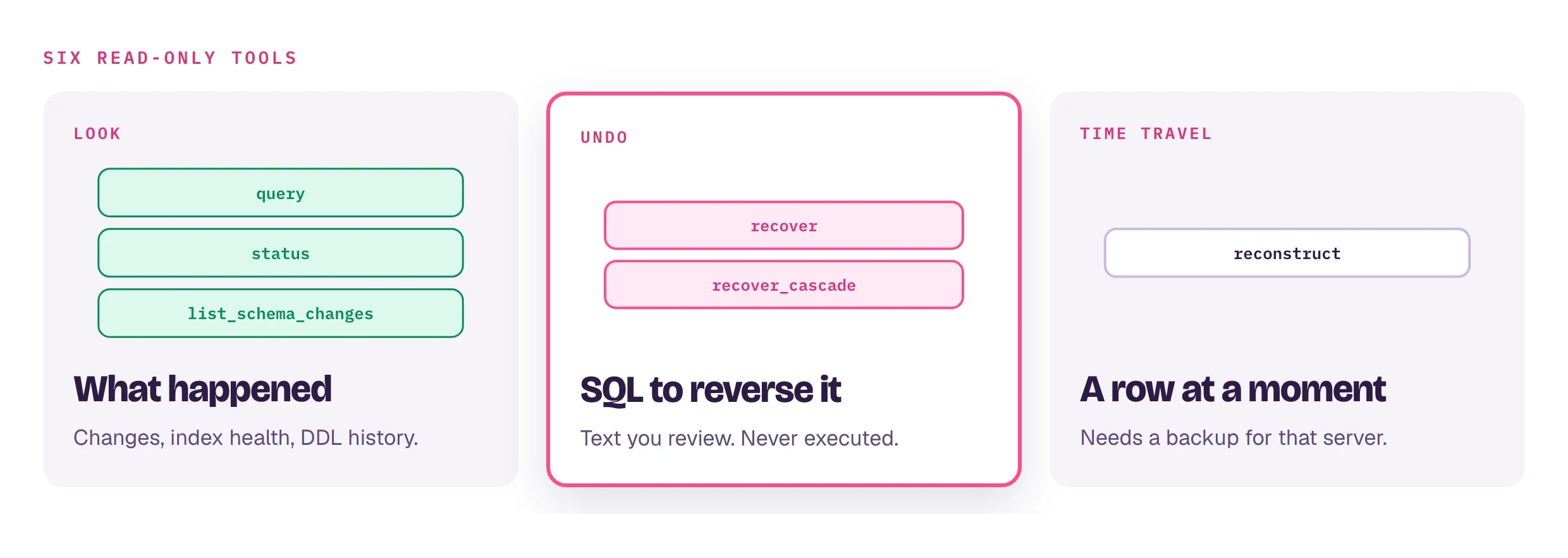
The following tools are available to Claude and other AI assistants connected to dbtrail — whether through the open-source bintrail-mcp server or the dbtrail Cloud MCP gateway. The core tools (query, recover, status, list_schema_changes) exist in both editions; Cloud adds a set of tenant- and forensics-oriented tools on top.

Edition differences

  • Self-hosted (bintrail-mcp) — tools read the index database directly. Pass index_dsn on each call or set the BINTRAIL_INDEX_DSN environment variable. Tools additionally accept format (json/table/csv), column_eq, flag, no_archive, and profile (a named access profile applying table-level deny rules and column redaction). The server runs over stdio by default, or as a Streamable HTTP server with --http <addr>.
  • dbtrail Cloud — tools route by server_id (a UUID from list_servers) to the tenant's registered servers, and every call is subject to access rules and role permissions. query adds order and include_forensics. See Claude setup to connect.

The Editions column in the parameter tables below indicates which edition accepts each parameter.

Core tools — both editions

query

Search indexed binlog changes by schema, table, time range, or event type.

Parameters

ParameterTypeEditionsDescription
server_idstringCloudUUID of the registered server (required; from list_servers)
index_dsnstringSelf-hostedMySQL DSN of the index database (optional if BINTRAIL_INDEX_DSN is set)
schemastringbothDatabase schema name (required on Cloud; optional filter self-hosted)
tablestringbothTable name (required on Cloud; optional filter self-hosted)
event_typestringbothINSERT, UPDATE, or DELETE
pkstringbothFilter by primary key value (use | for composites, e.g. 12345|2)
gtidstringbothFilter by GTID (e.g. 3e11fa47-...:42)
changed_columnstringbothFilter UPDATEs by changed column name (e.g. email)
sincestringbothStart time (ISO 8601; self-hosted also accepts YYYY-MM-DD HH:MM:SS)
untilstringbothEnd time
limitintegerbothMax results (default: 100; Cloud caps at 1000)
orderstringCloudASC (oldest first) or DESC (newest first, default)
include_forensicsbooleanCloudEnrich events with who made the change (user, host, program). Default: false
column_eqarraySelf-hostedcolumn=value filters matched against the before/after row images (repeat for AND; literal NULL matches JSON null)
flagstringSelf-hostedFilter events from tables or columns carrying this flag
formatstringSelf-hostedOutput format: json (default), table, or csv
profilestringSelf-hostedApply a named access profile (table-level deny + column redaction)
no_archivebooleanSelf-hostedDisable auto-routing to Parquet archives (MySQL-only results)

Response

Both editions return the matching change events, each containing:

  • event_type — INSERT, UPDATE, or DELETE
  • timestamp — when the change occurred
  • schema / table — where the change happened
  • primary_key — primary key of the affected row
  • before — row state before the change (null for INSERTs)
  • after — row state after the change (null for DELETEs)

On Cloud the events are wrapped in a JSON envelope with success, total_count (the true total number of matching events regardless of limit), and has_more. Self-hosted, the events are rendered in the requested format (JSON by default), with a truncation warning when results hit the limit.

dbtrail Cloud: total_count vs events length

On Cloud, total_count reflects the real number of matching events in the index, not the number of events returned. If you only need the count (not the events themselves), use the Cloud-only count_events tool instead — it's much more efficient.


recover

Generate SQL statements to reverse database changes. Always runs in dry-run mode — the SQL is generated but never executed.

Parameters

ParameterTypeEditionsDescription
server_idstringCloudUUID of the registered server (required)
index_dsnstringSelf-hostedMySQL DSN of the index database (optional if BINTRAIL_INDEX_DSN is set)
schemastringbothDatabase schema name (required on Cloud; optional filter self-hosted)
tablestringbothTable name (required on Cloud; optional filter self-hosted)
gtidstringbothReverse the events of a specific transaction (GTID)
sincestringbothStart of the search window
primary_keysarrayCloudPrimary key values to recover
target_timestringCloudISO 8601 point-in-time to recover to
pkstringSelf-hostedFilter by primary key value (pipe-delimited for composites)
event_typestringSelf-hostedOnly reverse INSERT, UPDATE, or DELETE events
untilstringSelf-hostedEnd of the search window
changed_columnstringSelf-hostedOnly reverse UPDATEs that modified this column
column_eqarraySelf-hostedcolumn=value filters matched against the row images
flagstringSelf-hostedFilter events from tables or columns carrying this flag
limitintegerSelf-hostedMax events to reverse (default: 1000)
profilestringSelf-hostedApply a named access profile
no_archivebooleanSelf-hostedDisable auto-routing to Parquet archives

Response

Both editions return the recovery SQL for review — it is never executed automatically.

  • Self-hosted — a BEGIN/COMMIT-wrapped SQL script that reverses events in reverse chronological order (most recent first), with a trailing comment noting the number of reversal statements generated.
  • dbtrail Cloud — a JSON envelope with success, sql (transaction-wrapped), affected_rows, operations, and warnings.

Recovery logic

Original eventGenerated SQL
DELETEINSERT INTO ... (restores deleted row)
UPDATEUPDATE ... SET (reverts to previous values)
INSERTDELETE FROM ... (removes inserted row)

dbtrail Cloud

Cloud recovery is FK-aware by default. resolve_fk (default true) walks up the FK chain to restore deleted parent rows first (up to 5 levels deep); include_dependents: true walks down to include deleted child rows; statements are topologically sorted so parents are inserted before children, and circular or self-referencing FKs are handled with SET FOREIGN_KEY_CHECKS=0/1. The response adds recovery_steps — an ordered list of steps, each with a reason — and warnings for skipped tables, depth limits, or detected cycles. Self-hosted recover applies reverse-chronological ordering only, with no FK-graph analysis. See Recover API — FK resolution for details.


status

Report the current state of the index and stream.

Parameters

ParameterTypeEditionsDescription
server_idstringCloudUUID of a registered server (omit for the most recent active server)
index_dsnstringSelf-hostedMySQL DSN of the index database (optional if BINTRAIL_INDEX_DSN is set)

Response

  • Self-hosted — which binlog files have been indexed, the partition layout with estimated row counts, and an aggregate summary of indexed events.
  • dbtrail Cloud — stream health (running / idle / not running), last checkpoint and last event time, and index coverage: total, live, and archived event counts, schema changes, earliest and latest event, and any uncovered DDLs.

list_schema_changes

List DDL schema changes — CREATE, ALTER, DROP, RENAME, TRUNCATE — recorded during binlog indexing or streaming. Use it to audit schema modifications or correlate structural changes with data anomalies.

Parameters

ParameterTypeEditionsDescription
server_idstringCloudUUID of the registered server (required)
index_dsnstringSelf-hostedMySQL DSN of the index database (optional if BINTRAIL_INDEX_DSN is set)
schemastringbothFilter by schema name
tablestringbothFilter by table name
ddl_typestringSelf-hostedFilter by DDL type: CREATE, ALTER, DROP, RENAME, or TRUNCATE
sincestringbothStart time filter
untilstringbothEnd time filter
limitintegerbothMax changes to return (default: 50 on Cloud, 100 self-hosted; Cloud caps at 1000)

Response

Each change includes the timestamp, affected schema and table, DDL type, the full DDL statement, and binlog coordinates (file, position, GTID). On Cloud the list is wrapped in a JSON envelope with success, total_count, and has_more; servers on an older index format may omit the full statement and coordinates.


Cloud-only tools

The following tools require the dbtrail Cloud control plane (the tenant server registry and the forensics pipeline) and are not part of the self-hosted bintrail-mcp server:

ToolWhat it does
list_serversList the tenant's registered MySQL servers — returns each server's id (used as server_id in other tools), name, host, port, and status.
list_tablesList schemas and tables with indexed binlog data on a server. Call before query or recover to discover valid names.
count_eventsCount indexed change events with optional group_by (schema, table, event_type) — much more efficient than query for volume questions.
forensics_capabilitiesCheck which forensic data sources a server offers: performance_schema status and consumers, and audit log plugin installation.
who_changedTrace who modified a specific row, with forensic enrichment (user, host, program) when available.
user_activityList recent SQL statements by a MySQL user from performance_schema, with query text, duration, and rows affected.
connection_historyShow connections from a MySQL user or host/IP, with database, command state, and running query.

See the Cloud MCP API for endpoint details and Forensics for how the four forensic tools work and how to enable richer data sources on your server.

Access control

Self-hosted, pass profile on query or recover to apply a named access profile — table-level deny rules plus column redaction. While a profile is active, Parquet archive routing is disabled (archive queries do not enforce profile rules).

dbtrail Cloud

Several Cloud tools enforce access rules: query and batch_query strip unauthorized columns from before/after images and remove forensic SQL text when columns are restricted; count_events, who_changed, and recover enforce table-level access and likewise redact forensic SQL text. If the connected user's role has no access to the queried table, the tool returns an error.

dbtrail Cloud

All Cloud tools require the mcp:connect permission, which is available to analysts, operators, admins, and owners — viewers do not have access. The REST API endpoints have additional per-operation permission requirements (e.g. recover:execute for the /recover endpoint). See Team management.

On this page