dbtrail
Claude Integration

Claude Setup

Connect Claude to your dbtrail index with the bundled MCP server

dbtrail ships bintrail-mcp — an MCP (Model Context Protocol) server that exposes read-only index operations as tools for Claude and other AI assistants. It is a thin wrapper around the same internals as the bintrail CLI: the same filters, the same time-parsing rules, the same query logic. Point it at your index database and Claude can answer questions like "what got deleted from the orders table in the last 10 minutes?" without you writing a single CLI command.

dbtrail Cloud

Using dbtrail Cloud? See Connect Claude to Cloud — one URL, one API key, nothing to install.

Prerequisites

  1. A running dbtrail index — if you don't have one yet, follow the Quick Start
  2. The bintrail-mcp binary — included in the Linux packages and the Docker image alongside bintrail; make build builds both from source
  3. The MySQL DSN of your index database (not the source database), e.g. user:pass@tcp(127.0.0.1:3306)/binlog_index

The server needs exactly one piece of configuration: the index DSN. Set it once via the BINTRAIL_INDEX_DSN environment variable; alternatively, any tool call can pass an index_dsn parameter that overrides it.

Local setup (stdio)

Started without flags, bintrail-mcp speaks MCP over stdin/stdout — your AI app launches it as a subprocess. This is the right mode when Claude and the index are reachable from the same machine.

claude mcp add bintrail \
  --env BINTRAIL_INDEX_DSN='user:pass@tcp(127.0.0.1:3306)/binlog_index' \
  -- bintrail-mcp

To share the configuration with your team, commit a .mcp.json at the project root instead — Claude Code auto-starts the server when you open the directory:

{
  "mcpServers": {
    "bintrail": {
      "command": "bintrail-mcp",
      "env": {
        "BINTRAIL_INDEX_DSN": "user:pass@tcp(127.0.0.1:3306)/binlog_index"
      }
    }
  }
}

Add to claude_desktop_config.json (on macOS: ~/Library/Application Support/Claude/claude_desktop_config.json):

{
  "mcpServers": {
    "bintrail": {
      "command": "/usr/local/bin/bintrail-mcp",
      "env": {
        "BINTRAIL_INDEX_DSN": "user:pass@tcp(127.0.0.1:3306)/binlog_index"
      }
    }
  }
}

Restart Claude Desktop after editing the config.

Add to .cursor/mcp.json in your project (or ~/.cursor/mcp.json globally):

{
  "mcpServers": {
    "bintrail": {
      "command": "bintrail-mcp",
      "env": {
        "BINTRAIL_INDEX_DSN": "user:pass@tcp(127.0.0.1:3306)/binlog_index"
      }
    }
  }
}

Same name, different binary

dbtrail Cloud publishes an npm package also called bintrail-mcp that bridges stdio to the hosted Cloud endpoint using an API key. The binary on this page is the Go server that ships with bintrail and talks directly to your index — it has no --api-key flag. If you're a Cloud user, see Connect Claude to Cloud.

Remote setup (HTTP)

When the index runs on a server and Claude runs somewhere else, start the server in HTTP mode:

BINTRAIL_INDEX_DSN='user:pass@tcp(127.0.0.1:3306)/binlog_index' \
  bintrail-mcp --http :8080

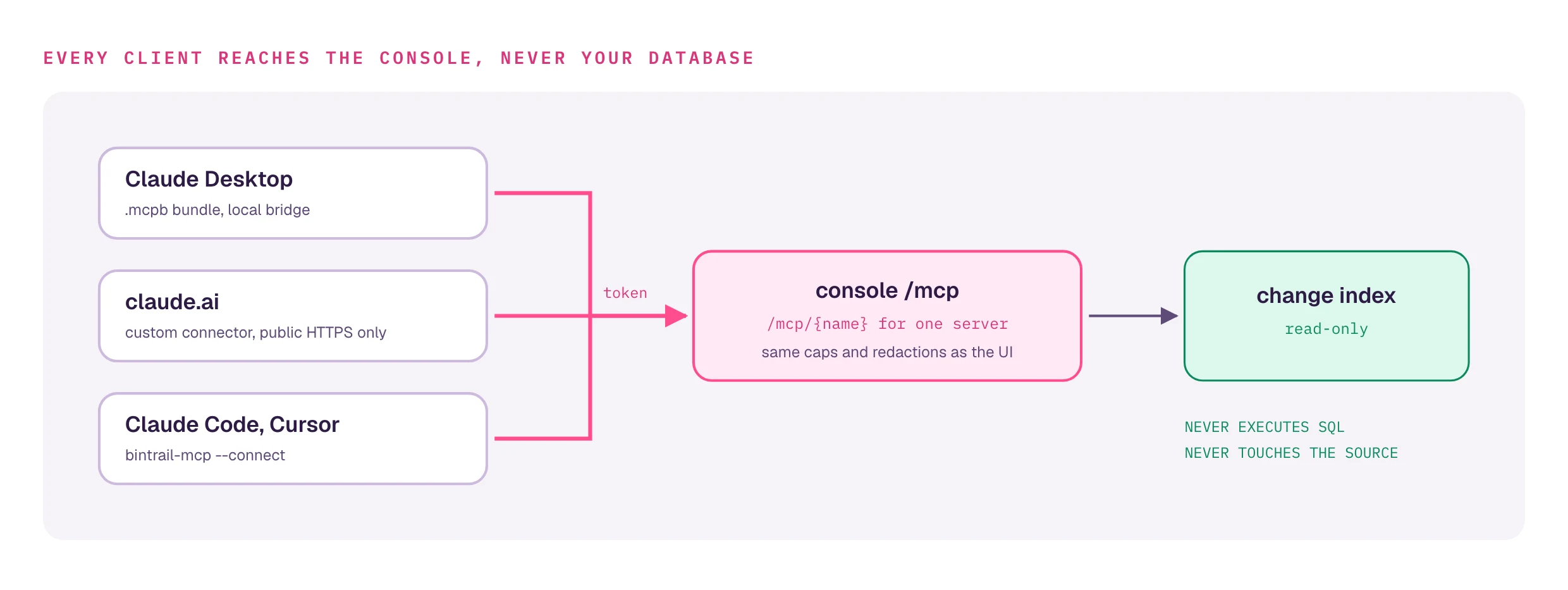
This serves the MCP Streamable HTTP transport at /mcp. Connect from Claude Code:

claude mcp add --transport http bintrail http://your-server:8080/mcp

HTTP mode has no built-in authentication

bintrail-mcp --http trusts every connection. Keep it on a private network (VPN, SSH tunnel, security group), or put the OAuth gateway in front of it for public exposure.

claude.ai and Claude mobile: the OAuth gateway

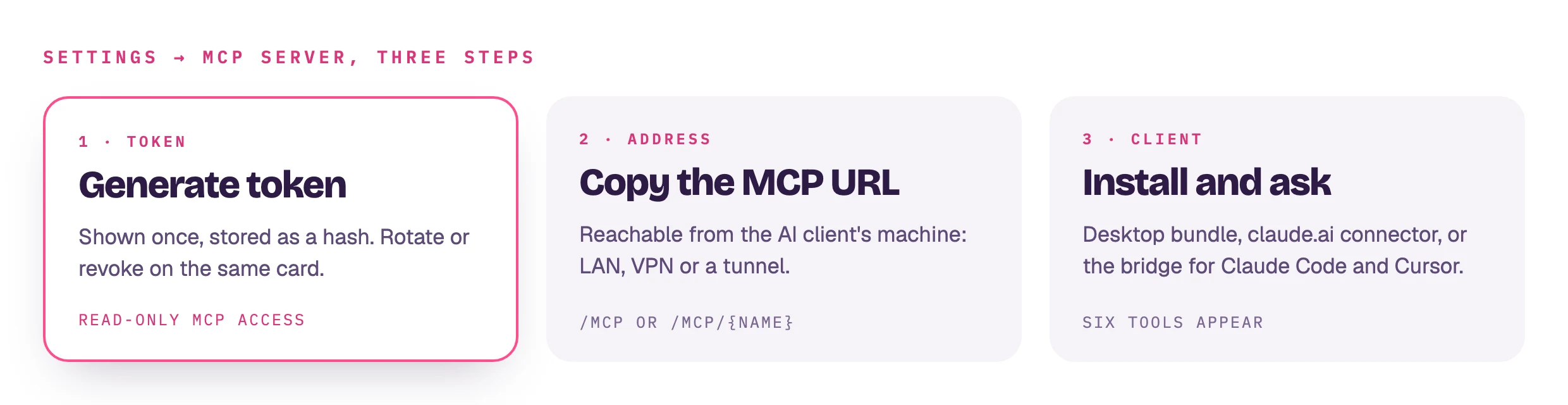
claude.ai (web) and Claude mobile can only connect to a public HTTPS URL with OAuth — they can't launch a local subprocess. For that, the repo ships mcp-gateway, a self-hostable OAuth 2.1 gateway that fronts one or more bintrail-mcp --http backends and handles authentication, tenant routing, and CORS. Once it's deployed, adding dbtrail to Claude is Settings → Connectors → Add custom connector with the gateway URL — Claude auto-discovers the OAuth endpoints and token refresh is automatic.

Deploying the gateway is an infrastructure exercise (TLS, load balancer, DynamoDB for OAuth state). The full walkthrough — including a 5-minute local test mode — lives in the repo: MCP Gateway guide and MCP server internals.

Available tools

The server exposes four read-only tools (all annotated ReadOnlyHint: true and IdempotentHint: true):

ToolCLI equivalentDescription
querybintrail querySearch indexed binlog events with filters
recoverbintrail recover --dry-runGenerate reversal SQL — always dry-run, never executes it
statusbintrail statusIndexed files, partition layout, and event summary
list_schema_changesDDL changes (CREATE, ALTER, DROP, RENAME, TRUNCATE) recorded during indexing or streaming

When Parquet archives are configured, query and recover automatically merge archive results with the live index. See the Tools Reference for parameters and response shapes.

Verifying the connection

After setup, ask Claude:

"What's the status of my binlog index?"

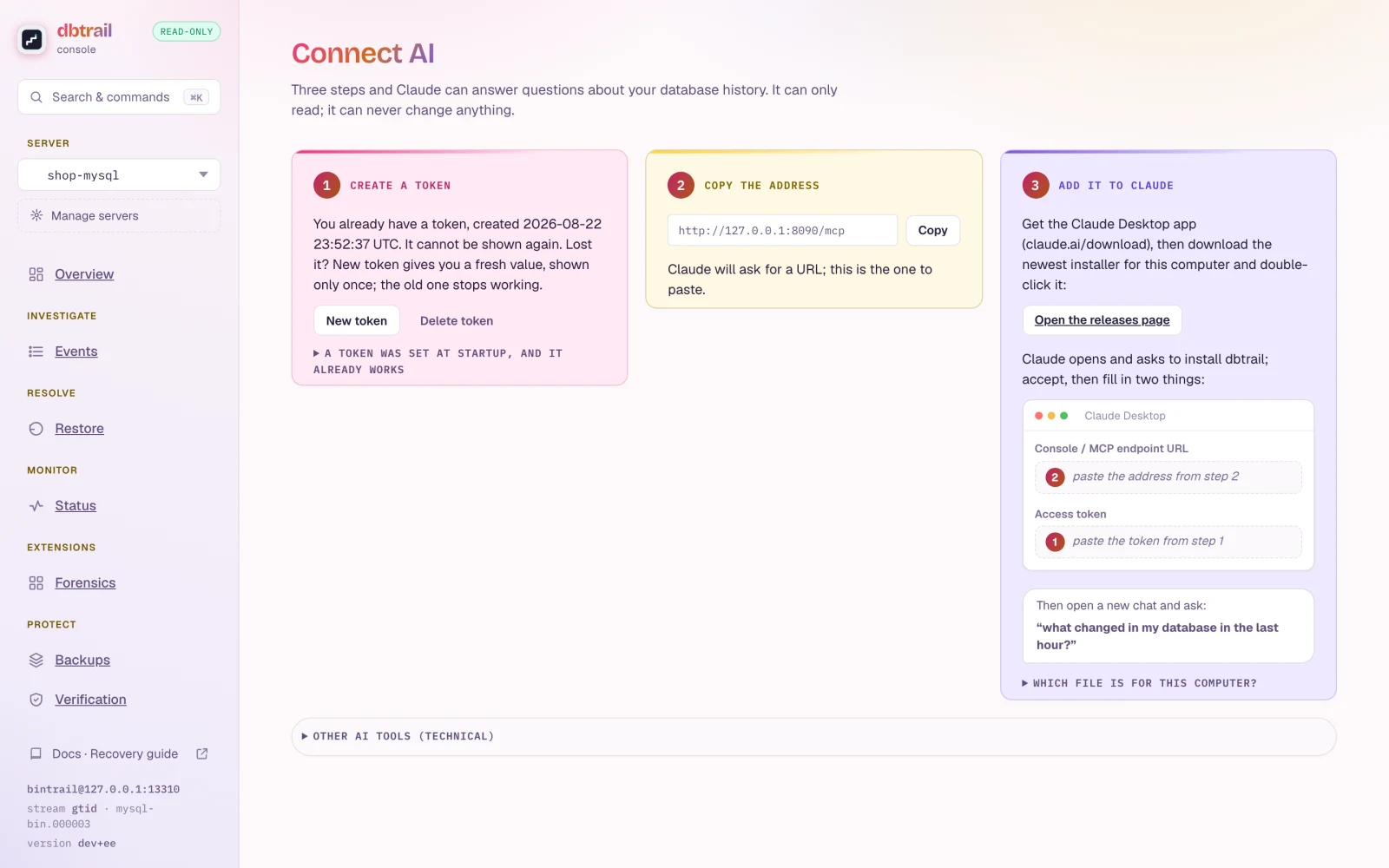
If the connection is working, Claude calls the status tool and reports which binlog files are indexed, the partition layout, and an event summary. From there, head to Using Claude with dbtrail for example conversations.

On this page