dbtrail
Guides

Verification

Prove your backups can actually be restored, from the console, before you need them. What each check does, how to read the result, and how to run it on a schedule.

A backup you have never restored is a backup you hope works. dbtrail's Verification page turns that hope into a check you can run any time, with no test database and no load on your production server: it rebuilds a table from your backups the same way a real restore would, and compares the result against something it can trust.

What you get

A per-table verdict, MATCH or MISMATCH, for every table in a server, plus a row-level drill-down when something is off. Nothing is written anywhere: verification reads your backups and the index, and in one optional mode reads your live tables.
How it works

dbtrail keeps two things for every server: saved snapshots (full backups, taken from the Backups page) and the change log (every row change captured from the binlog, continuously). A restore to any moment is "the snapshot before that moment, plus the changes recorded after it".

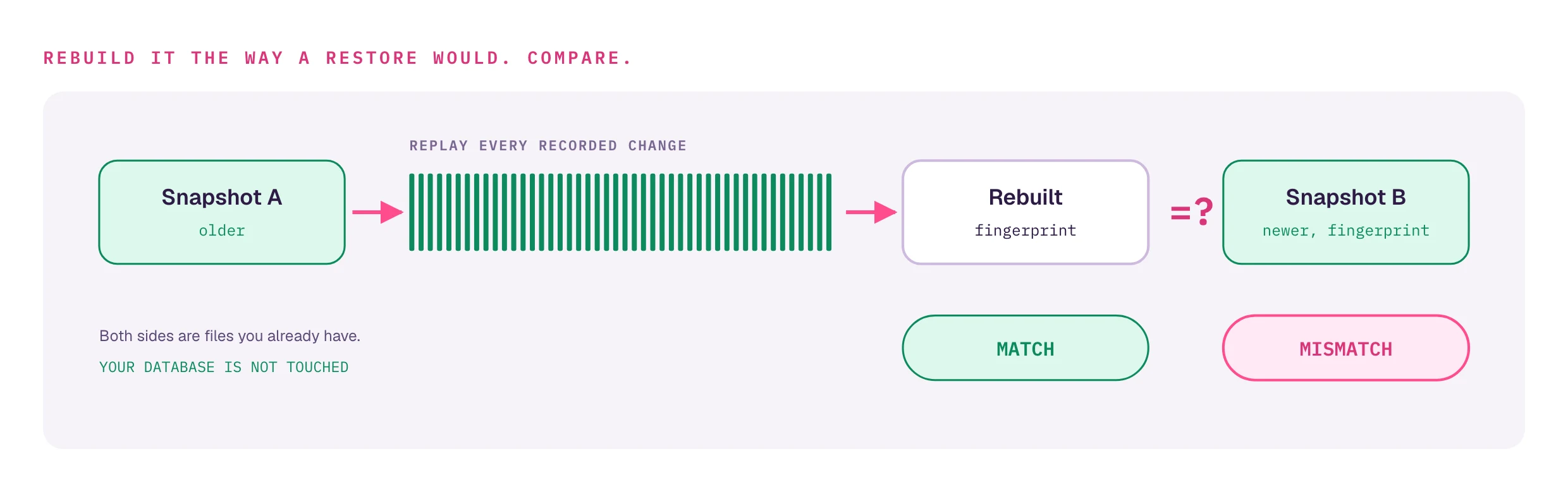
Verification exercises exactly that chain. In the recommended mode it:

  1. takes your two newest snapshots of a table, call them A (older) and B (newer);
  2. starts from A and replays every recorded change up to the exact binlog position where B was taken;
  3. fingerprints the result and compares it with B's fingerprint.

If the replay lands on the same content as the newer snapshot, the whole chain (capture, indexing, storage, replay) worked for that table over that window. If it does not, something between A and B is wrong, and the drill-down shows you which rows.

Both sides are files you already have, so this mode never touches your database and is safe to run at any hour.

Running a check

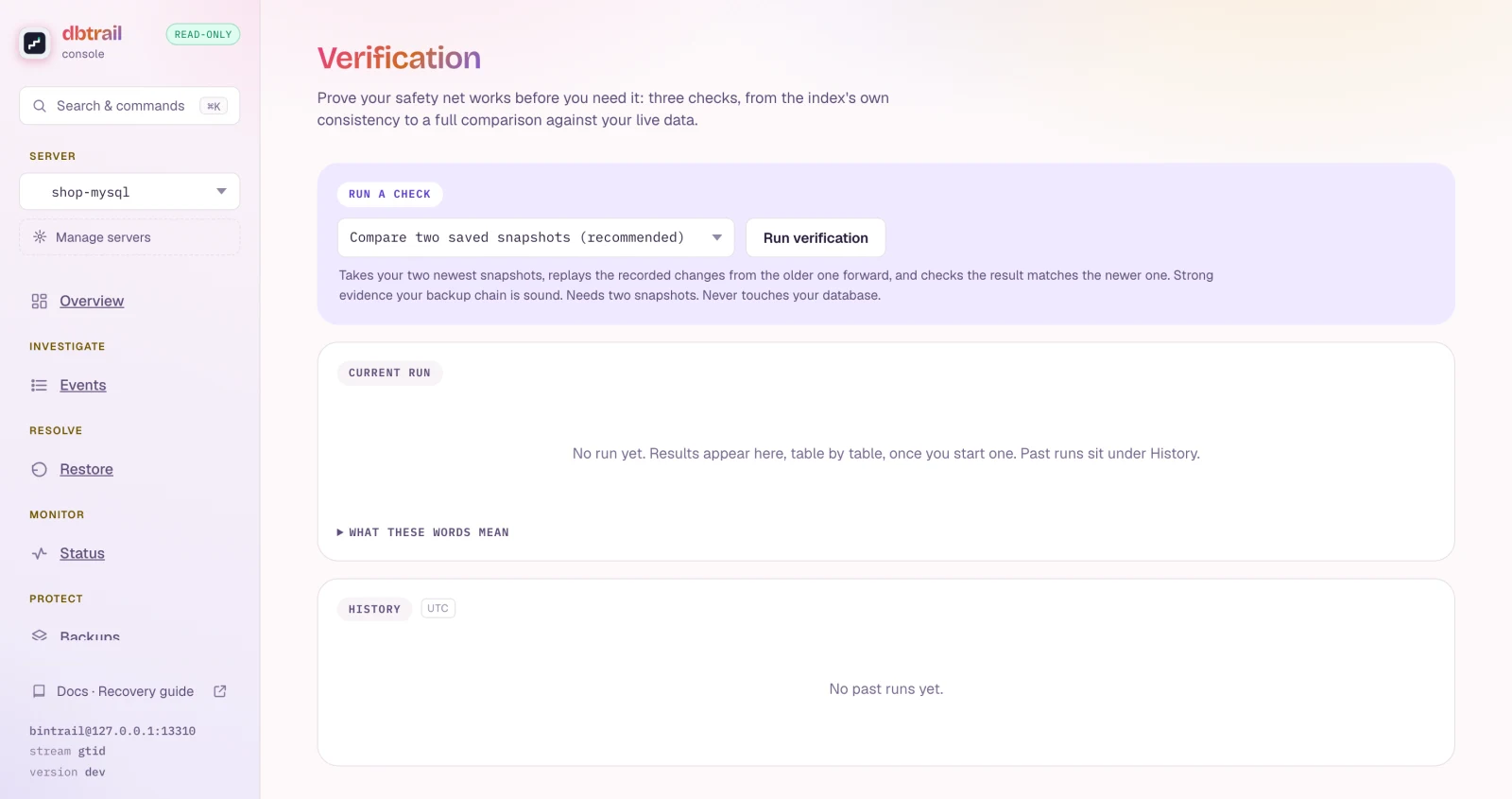
Open Verification (under Protect), pick the server, choose a check, and click Run verification. Results arrive table by table while the run is in progress.

The Verification page before any run: a Run a check panel with a mode picker set to Compare two saved snapshots (recommended), the Run verification button, and a one-paragraph explanation of what the selected mode proves and needs.

The three checks

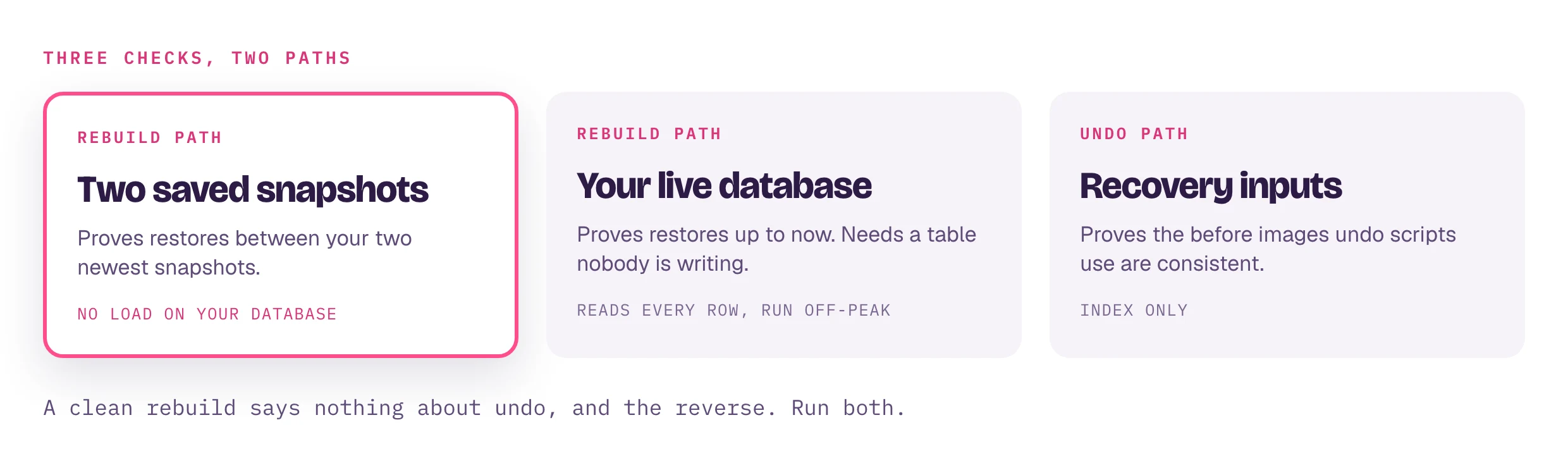
CheckWhat it provesWhat it needsCost
Compare two saved snapshots (recommended)The backup chain restores correctly between your two newest snapshotsTwo snapshots for the serverNone on your database. Reads backup files and the index
Compare against your live databaseThe chain restores correctly up to right nowOne snapshot, and a table nobody is writing to during the runReads every row of each table from the live server. Run it off-peak
Check recovery inputsThe stored before/after images an undo script is built from are consistent with each otherNothing. Index onlyReads the index only

The first two check the rebuild path (used by time-travel and the .sql backup export). The third checks the undo path (the Restore page). They look at different data, so a clean result in one says nothing about the other; run both to cover both.

Live comparison needs a quiet table

In the live mode, any write to a table while it is being read shows up as a MISMATCH, even when the restore chain is perfectly fine: the table simply moved during the read. Use it on a maintenance window or a replica, and treat a mismatch there as "re-check" rather than "broken" until you have ruled out concurrent writes.

Reading the result

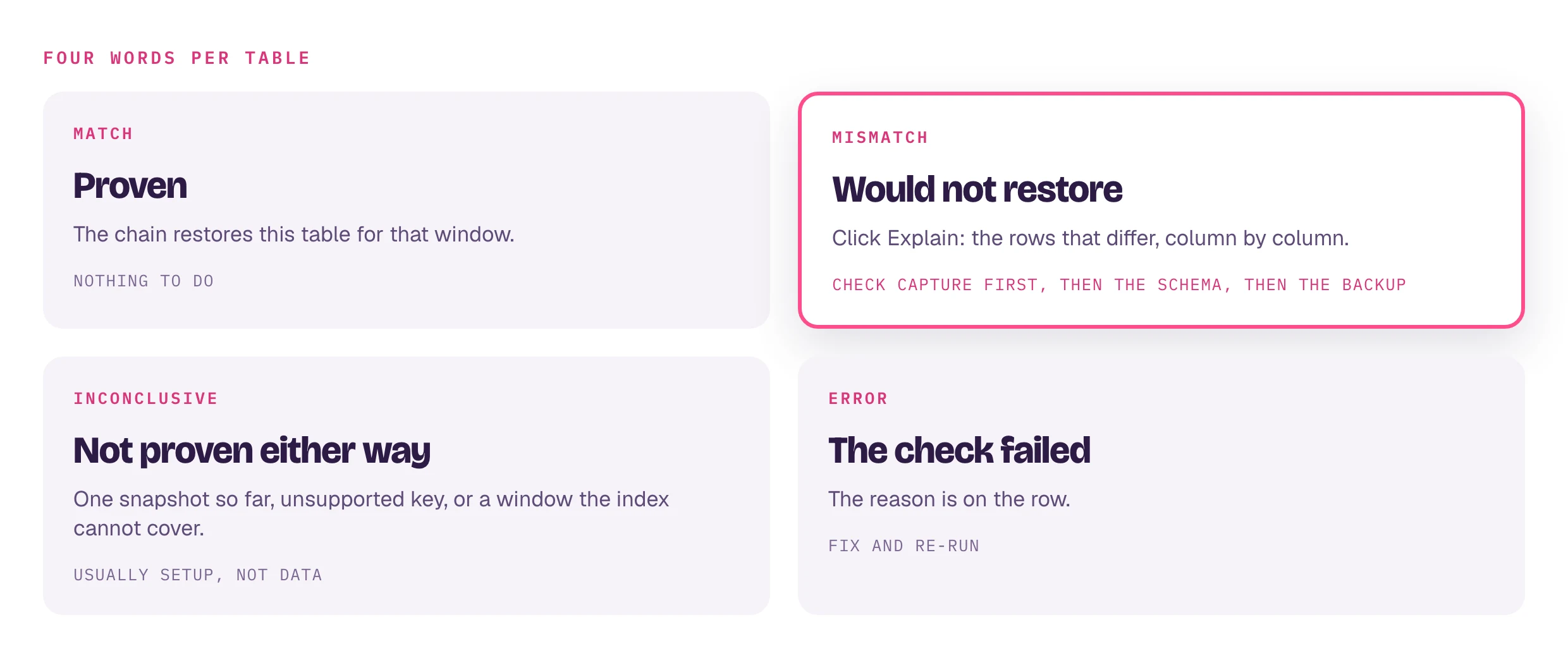
Each table gets one of four words.

WordMeaningWhat to do
MATCHThe rebuild reproduced the comparison exactlyNothing. This table's chain is proven for the window
MISMATCHThey differ. The chain would not reproduce this tableClick Explain. Read the section below before assuming corruption
INCONCLUSIVEThe check could not prove the table either wayRead the reason on the row. Usually a setup gap, not a data problem
ERRORThe check itself failed to run for this tableRead the reason; fix the cause and re-run

A clean run looks like this:

A finished run: DONE, compared two saved snapshots, 3 match, 0 mismatch. Three tables, shop.customers, shop.orders and shop.products, each marked MATCH, and a History panel with the run recorded.

INCONCLUSIVE is never counted as a failure, but it is never counted as a pass either. The reason on the row says why: only one snapshot exists so far, the table has no snapshot yet, a primary key type the rebuild cannot join on, or a window the index cannot cover. The What these words mean panel on the page keeps the short definitions one click away.

When a table does not match

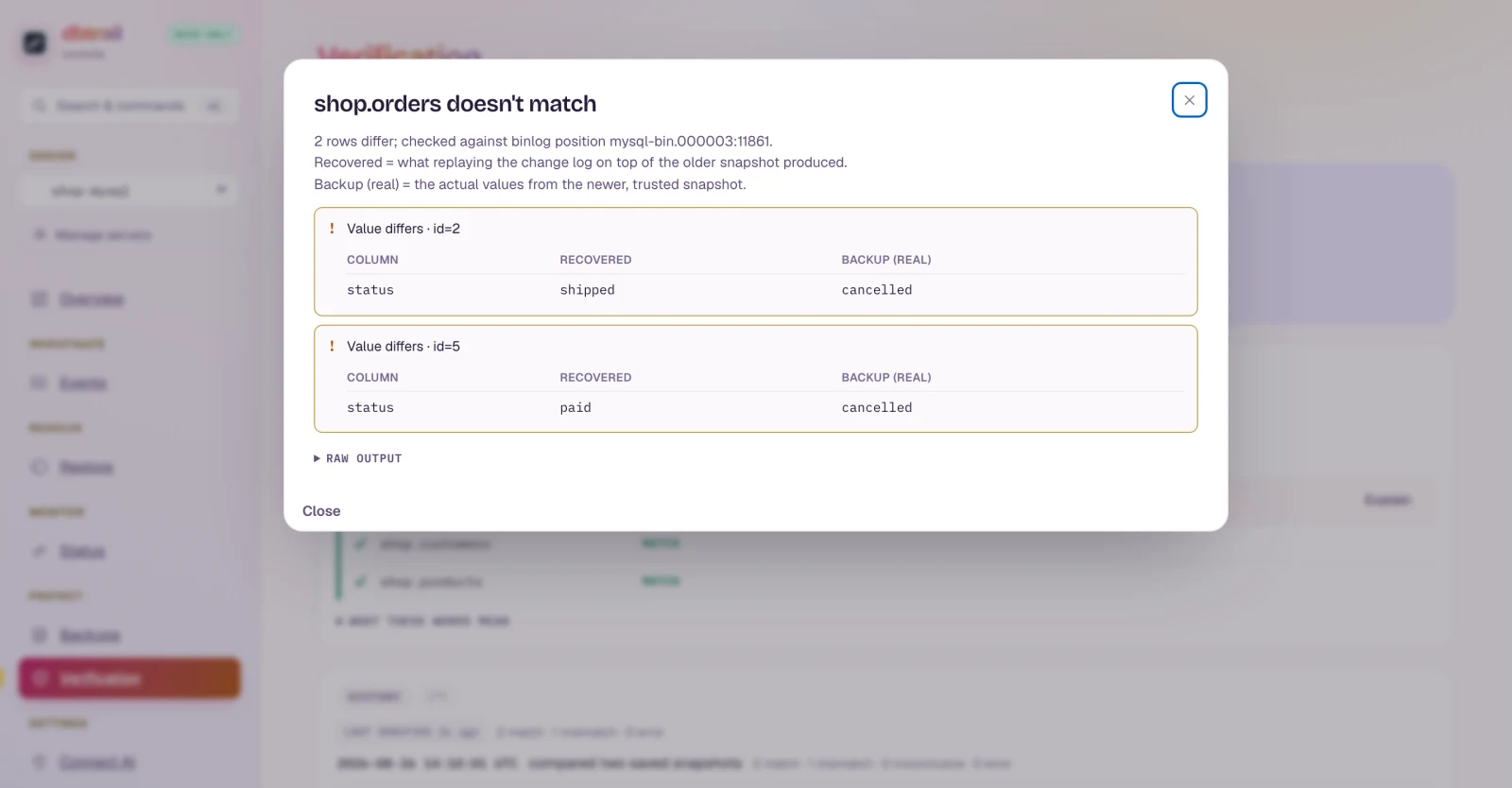
Click Explain on the row. dbtrail re-runs the rebuild for that one table and lists the exact rows that differ, column by column: what the replay produced (Recovered) next to what the newer snapshot really holds (Backup (real)).

A run with one failing table: shop.orders marked MISMATCH with the reason content digest differs at equal row count, an Explain button on that row, and the other two tables still MATCH.
The Explain drill-down for shop.orders: 2 rows differ, checked against binlog position mysql-bin.000003:11861. For id=2 the status column reads shipped in the recovered copy but cancelled in the real backup; for id=5, paid versus cancelled.

The screenshot above is a real mismatch: two changes to orders were removed from the index between the snapshots, so the replay still carries the old status for rows 2 and 5 while the newer backup has the truth. That is the shape of a capture hole: changes that happened but never made it into the index.

A mismatch tells you the chain broke, not why. Check, in this order:

  1. Was capture running the whole time? Open Status and look at continuity for the window between the two snapshots. A gap, a restart with a reset, or a schema filter change that excluded the table will all show up as missing rows in the replay.
  2. Did the table's schema change without a fresh snapshot? An ALTER the daemon did not re-snapshot makes it skip that table's events (with a warning in the daemon log) until the schema catches up.
  3. Is the newer backup itself sound? If the backup was taken while the table was being written and the lock mode was weakened, the backup can be torn. See the backup strategy guide.

Only after those come the rare cases: a stored row image that is genuinely wrong. Explain's per-column view is what lets you tell them apart.

The drill-down rebuilds the table, so on a large table it takes minutes. It runs on the daemon, not in your browser tab; the modal polls until the answer is ready.

The recovery-inputs check

Undo scripts are built from the before-image each update or delete stores (what the row looked like just before the change). This check walks every row's history in order and asserts that each before-image equals the state the previous change left behind. A break there means an undo script for that row would put back the wrong values.

A recovery-inputs run on a young index: all three tables INCONCLUSIVE with the reason that the window reaches back 30 days but the oldest hour this index has ever held is today. The History panel lists three runs: this one, a snapshot comparison with one mismatch, and an earlier clean comparison.

Two results here are normal and not findings:

  • No known earlier state: the first change to a row inside the window has nothing older to compare against. Later changes to the same row are still checked, so a table is proven as long as one comparison was possible.
  • Nothing to check: the table did not change, or only gained new rows.

The screenshot shows the most common INCONCLUSIVE on a fresh install: the check looks back 30 days by default, and the index is younger than that. The reason says so in as many words. It resolves itself as the index ages; on a headless deployment you can shorten the window instead (CLI: verify --check recover --lookback 7d).

Running it on a schedule

A verification you run once proves the chain worked once. Scheduling it turns the History panel into a trend: the last 20 runs per server, manual and scheduled alike, with their timestamps and verdicts. It survives daemon restarts.

The schedule is a setting on the console daemon. Set the interval in hours or days (minutes are rejected):

# docker-compose.yml, under the console service's environment:
BINTRAIL_CONSOLE_VERIFY_INTERVAL: 24h
# optional, narrow to specific tables:
BINTRAIL_CONSOLE_VERIFY_TABLES: shop.orders,shop.customers

Every interval, each server is verified in-process: with a backup destination configured it runs the snapshot comparison; without one it runs the recovery-inputs check, so a schedule never silently does nothing. If a manual run is already in flight, the scheduled cycle records a skipped entry in the history rather than disappearing.

Getting told about problems

The same daemon can POST a JSON notification to a webhook when a verification reports a mismatch, when capture continuity is lost, or when rotation stops making progress:

BINTRAIL_CONSOLE_NOTIFY_WEBHOOK: https://hooks.example.com/dbtrail

Notifications are edge-triggered: one message when a problem appears, a daily reminder while it persists, and one message when it clears. Point it at Slack, PagerDuty, or anything that accepts a POST.

What a MATCH proves

Verification is strong evidence, and it is worth knowing exactly how strong.

  • The comparison is a 64-bit fingerprint of row content, not a cryptographic hash. An accidental collision is astronomically unlikely, but the fingerprint is not tamper-proof: anyone who can write to the table can shape it.
  • It compares row content only. Table definitions, indexes, triggers, collations and AUTO_INCREMENT counters are outside the check.
  • The snapshot comparison proves the chain between two anchor points. It does not separately prove every moment in between.
  • The snapshot modes do not exercise the undo inputs, and the recovery-inputs check does not exercise the rebuild. Each proves its own path.
  • The recovery-inputs check proves the stored images agree with each other. It has no outside truth to compare against, so a row captured consistently but wrongly still passes.

Every limitation dbtrail knows about is on the limitations page.

Turning the button on and off

In the bundled Compose stack the Run verification button is on by default. It reads backups and the index, so it is low-risk to leave enabled. To turn it off, set VERIFY_TRIGGER=0 in the stack's .env; the page then says "Verification from the console is turned off".

The two snapshot modes need a backup destination on the server (Manage servers → Edit → Advanced) and at least two snapshots (Backups → Create backup). Until then the page says so and only the recovery-inputs check is enabled.

With dbtrail EE roles, starting a run needs the operator role or higher; analyst and viewer can read results and history.

Headless deployments

The same engine is the bintrail verify command, for cron jobs and CI gates where the exit code matters:

# Snapshot comparison, all tables, with the row-level drill-down on any mismatch
bintrail verify --index-dsn "$IDX" --baseline-dir /data/backups --explain

# Recovery-inputs check over the last 7 days, machine-readable
bintrail verify --index-dsn "$IDX" --check recover --lookback 7d --format json

It exits non-zero on any mismatch, on an error, or when no table could be proven at all, so a pipeline gate is one line. The CLI reference covers every flag, the JSON report shape, and the per-source notes for PostgreSQL and MariaDB.

Next steps

On this page