dbtrail
Guides

Point-in-Time Recovery Backups

Reconstruct your database to any past moment using baselines and binlog events

Point-in-time recovery (PITR) reconstructs the full state of your database — or specific tables — at any past moment. It combines periodic baseline snapshots with the continuous binlog event stream to produce a complete, importable SQL dump.

Backups first

PITR depends on baseline snapshots generated during each backup. If you haven't configured backups yet, start with the backup strategy guide.

How PITR works

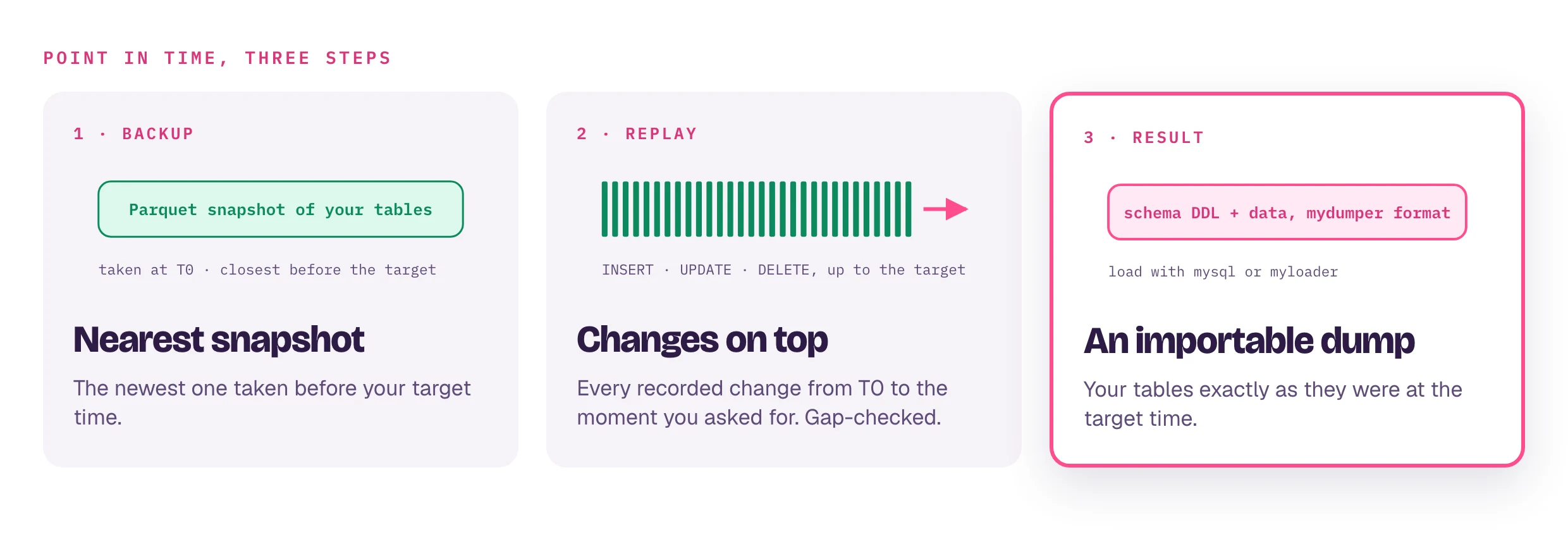
PITR builds a database snapshot in three steps:

  1. Find the nearest baseline — dbtrail looks for the most recent Parquet baseline snapshot taken at or before your target time. Baselines are generated automatically during each backup.
  2. Replay binlog events — starting from the baseline's binlog position, dbtrail replays every INSERT, UPDATE, and DELETE up to the target time, applying them to the baseline state.
  3. Output mydumper SQL — the result is a set of SQL files (schema DDL + data) that you can import into any MySQL instance.
[Baseline T0] ─── replay binlog events ───> [Target Time] ───> mydumper SQL output
     │                                            │
     │  Parquet snapshot from last backup         │  Your requested point in time
     │  (closest one before target time)          │
     └────────────────────────────────────────────┘

Baselines

Every time a backup runs, dbtrail automatically converts the mydumper dump to Parquet baseline snapshots and uploads them to S3. These baselines embed the binlog position and GTID set at the time of the dump, which is how PITR knows exactly where to start replaying events.

More frequent backups mean more recent baselines, which means less event replay time and faster PITR.

Coverage window

The PITR coverage window is the time range where recovery is possible — from the oldest indexed binlog event to the most recent one. You can check coverage via the API or dashboard before triggering PITR.

PITR requires both:

  • A baseline taken before the target time (from a backup)
  • Binlog events covering the gap between that baseline and the target time

If your target time is before the oldest available baseline, PITR will fail with "no baseline snapshot found."

Requirements and compatibility

Binlog format: ROW only

dbtrail requires binlog_format = ROW. STATEMENT and MIXED are explicitly rejected — the agent validates this on startup and refuses to stream if the source is not in ROW format. Row-format binlogs contain the full before/after image of every changed row, which is what makes per-event reconstruction possible.

Row image: FULL only

dbtrail also requires binlog_row_image = FULL. MINIMAL and NOBLOB are rejected at startup. FULL row images ensure that every event contains the complete row state — both the values that changed and the values that didn't. Without FULL images, dbtrail couldn't reconstruct the exact state of a row at an arbitrary point in time.

-- Required MySQL configuration
SET GLOBAL binlog_format = 'ROW';
SET GLOBAL binlog_row_image = 'FULL';

RDS and managed MySQL

Amazon RDS, Aurora, and most managed MySQL services default to ROW format and FULL row images. If you're on a managed service, you likely don't need to change anything — but verify in the parameter group.

GTID support

dbtrail fully supports GTID-based streaming and recovery. When your MySQL server has gtid_mode = ON, dbtrail:

  • Tracks the accumulated GTID set during streaming, not just the latest GTID. Every indexed event stores its GTID for later querying.
  • Embeds the GTID set in baseline snapshots — Parquet baselines include the exact GTID set at the time of the dump, so PITR knows which transactions are already reflected in the baseline.
  • Supports per-transaction recovery — you can reverse or inspect a specific transaction by its GTID (e.g. --gtid "3e11fa47-71ca-11e1-9e33-c80aa9429562:42").
  • Detects and fills gaps on restart — if the agent restarts and the checkpoint falls behind @@gtid_purged, dbtrail detects the gap and auto-advances past purged transactions (unless --no-gap-fill is set).

GTID mode is strongly recommended for managed MySQL instances (RDS, Aurora, Cloud SQL) where binlog file names can change after failover.

Streaming: how real-time is it?

dbtrail connects to MySQL using the native replication protocol (COM_BINLOG_DUMP_GTID) — the same mechanism MySQL replicas use. It registers as a replica and receives events in real time as they're committed on the source.

Events are batched (default: 1000 events per batch) and checkpointed every 10 seconds to the index database. In practice, this means changes are visible in the index within ~10 seconds of commit.

On graceful shutdown (SIGTERM), the agent flushes the current batch and saves the checkpoint before exiting. On crash, worst-case data loss is one checkpoint interval (~10 seconds of events), which are automatically re-indexed and deduplicated on restart.

Recovery precision

PITR operates at per-event, per-second precision:

GranularityMechanismExample
Per-second--at timestampReconstruct state at 2026-04-10 14:30:00
Per-transaction--gtid filterReverse all events in GTID uuid:42
Per-eventEvent ID + timestampQuery or reverse a specific row change by its indexed event

The --at parameter accepts second-level precision (YYYY-MM-DD HH:MM:SS or RFC 3339). All events with timestamps up to and including the target are applied; later events are skipped.

Triggering PITR

From the API

curl -X POST https://api.dbtrail.com/api/v1/servers/{server_id}/pitr \
  -H "Authorization: Bearer bt_live_YOUR_API_KEY" \
  -H "Content-Type: application/json" \
  -d '{
    "target_time": "2026-04-10T14:30:00Z"
  }'

The API returns immediately with a pitr_id and status: "running". PITR runs asynchronously — poll the status endpoint to track progress.

Checking progress

curl https://api.dbtrail.com/api/v1/servers/{server_id}/pitr/{pitr_id} \
  -H "Authorization: Bearer bt_live_YOUR_API_KEY"

The response includes status (running, completed, failed), phase (preparing, reconstructing, uploading, complete), and on completion: s3_path, size_bytes, file_count, and duration_ms.

With vs. without a tables filter

All tables (default)

When you omit the tables field, dbtrail auto-discovers every table in the server's index and reconstructs them all. This is the most common use case for full-database recovery.

Specific tables

Pass a comma-separated list of schema.table names to reconstruct only those tables:

{
  "target_time": "2026-04-10T14:30:00Z",
  "tables": "mydb.orders,mydb.customers"
}

This is faster and produces a smaller output. Use it when you know exactly which tables you need.

Allow gaps

By default, PITR fails if there are gaps in the binlog event stream between the baseline and the target time (this usually means some events were lost due to agent downtime or binlog purging). Set allow_gaps: true to proceed anyway:

{
  "target_time": "2026-04-10T14:30:00Z",
  "allow_gaps": true
}

Gaps mean missing data

When you allow gaps, the reconstructed state may be incomplete — rows changed during the gap period will reflect the baseline state, not the actual state at your target time.

Using the result

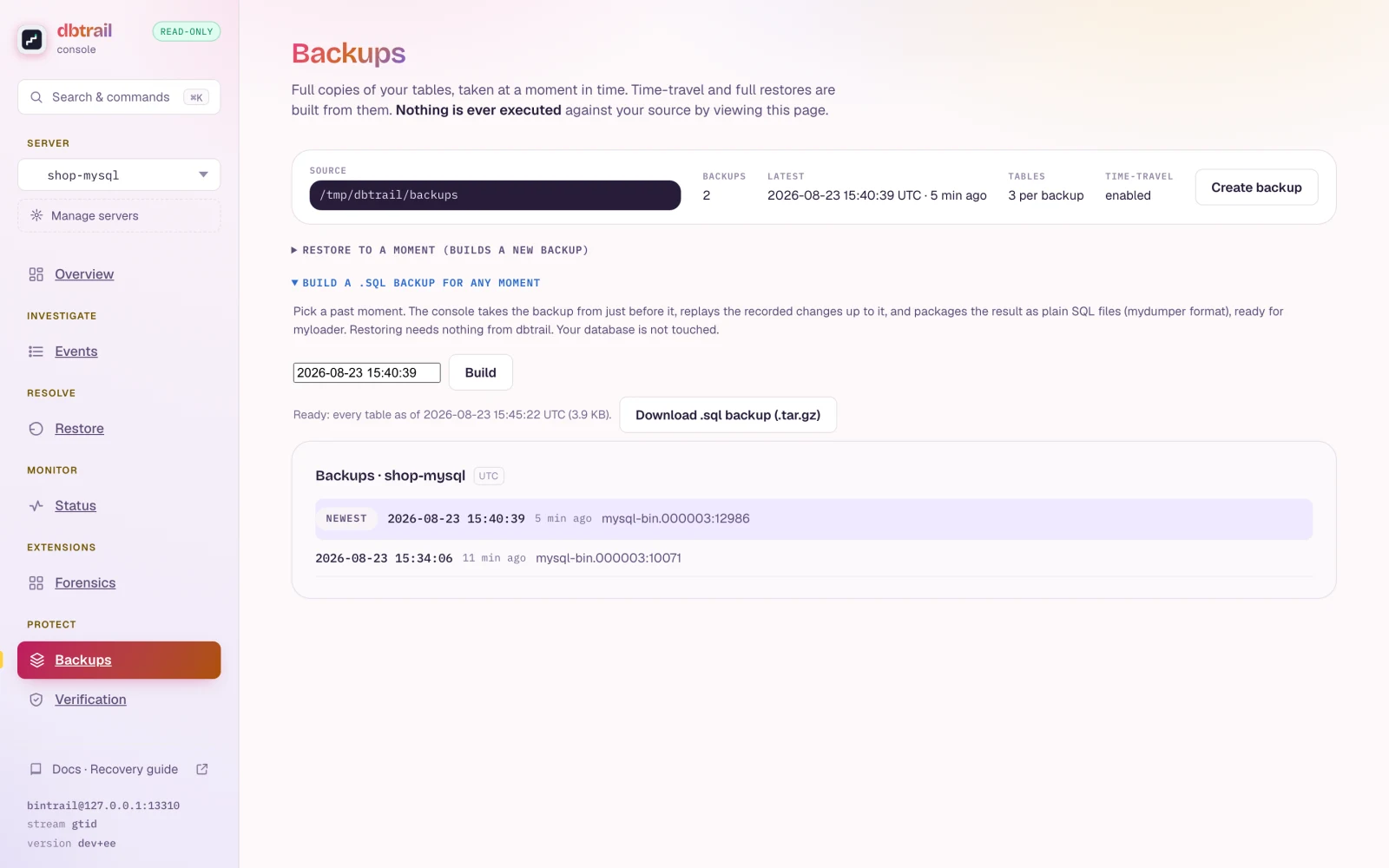
PITR output is a set of mydumper SQL files uploaded to S3. The path is returned in the s3_path field of the completed PITR entry.

Download

aws s3 sync s3://your-bucket/pitr/your-tenant/server-id/... ./pitr-output/

Import into MySQL

mysql -h your-host -u your-user -p your_database < pitr-output/mydb.orders-schema.sql
mysql -h your-host -u your-user -p your_database < pitr-output/mydb.orders.sql

Or use myloader for parallel import:

myloader -h your-host -u your-user -p your-password -d ./pitr-output/ -o

The output includes schema DDL files (-schema.sql) and data files (.sql with INSERT statements) for every reconstructed table, plus a metadata file recording the exact binlog position.

Best practices

  1. Run backups regularly. Each backup generates a fresh baseline. More frequent backups mean PITR can use a more recent starting point, which means fewer events to replay and faster recovery.

  2. Check coverage before triggering. Use the coverage endpoint to verify your target time falls within the available event window and that a baseline exists before it.

  3. Use a tables filter when possible. Full-database PITR reconstructs every table, which takes longer. If you only need specific tables, filtering is significantly faster.

  4. Keep your snapshot schedule healthy. PITR requires a baseline before your target time — that baseline comes from the scheduled backups described in the backup strategy guide. If the schedule is disabled or failing silently, your PITR window will slowly shrink. Monitor backup status and test an end-to-end restore periodically.

  5. Review before importing. Always inspect the generated SQL files before importing into a production database. PITR output reflects the state at the target time, which may include data you don't want.

Next steps

On this page