
RBAC
Per-user roles, data profiles and access rules in the DBTrail EE web interface. Local users, SSO claim-to-role mapping, and the enforcement boundary
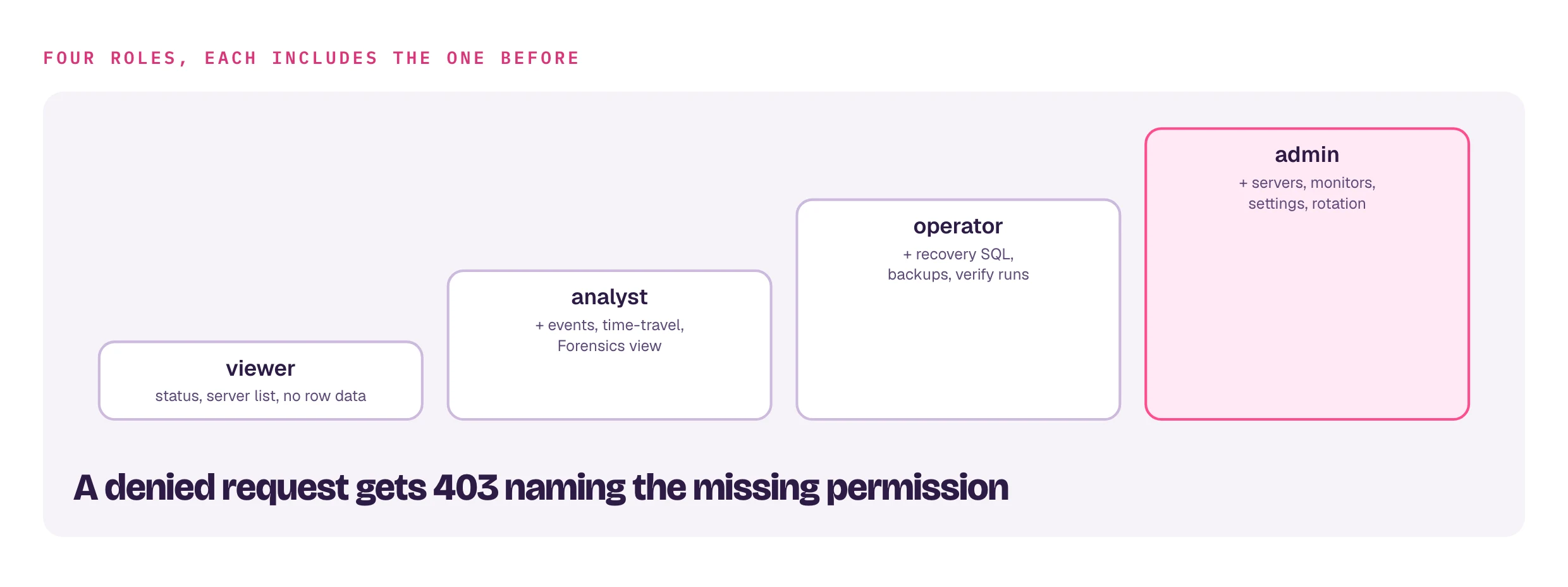
Each person logs in to dbtrail-console-ee with their own credentials. A
role decides what they may do; a data profile or access rules
decide what they may see. Enforced server-side, per session. Needs the rbac
license feature.
What RBAC covers, and what it deliberately does not
- Web interface only. The UI hides what a session cannot use; the server check is the gate.
- The CLI is out of scope, permanently. Whoever holds the index DSN can query MySQL directly. Treat that DSN as a credential.
- Not covered: the web interface's
/mcpendpoint and embedded flashback port (token-authenticated), and the standalonebintrail shim.
Data profiles
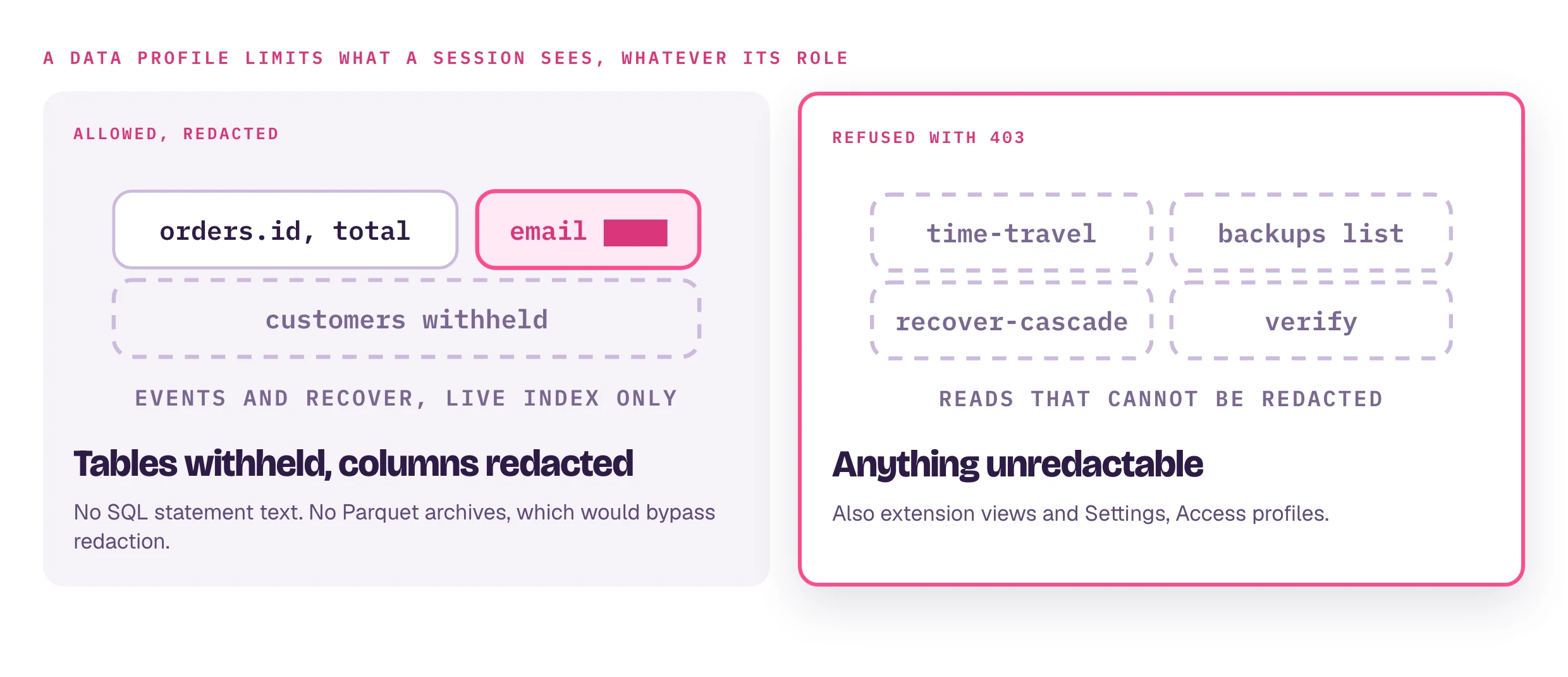
A user can carry an OSS profile, authored in Settings → Access profiles or
with bintrail flag / profile / access
(core docs).
- Resolved against the selected server's index per request; an unknown profile name is a 403, never "enforce nothing".
- Schema changes are scoped to readable tables with statement text withheld; Status capture-health names only those tables.
- Roles and profiles are independent: a profiled
adminis redacted too.
Roles and access rules
Two more Settings panels, per role:
- Roles: grant or revoke single permissions on top of each role's base
set. The four roles stay fixed, and
admincannot be edited, so settings access is never lost. - Access Rules: per role and table,
denywithholds a table or blanks named columns;allowswitches that role to an allow-list. Deny wins. No rules means full access;adminand the boot login are always exempt.
Both apply at each user's next login. A store file that fails to load refuses
non-admin logins rather than widening access. Files:
~/.config/bintrail/console-roles.yaml,
~/.config/bintrail/console-access-rules.yaml.
Local users
Settings → Users: add, edit or remove users with a role and an optional profile. The built-in operator login shows as boot login.
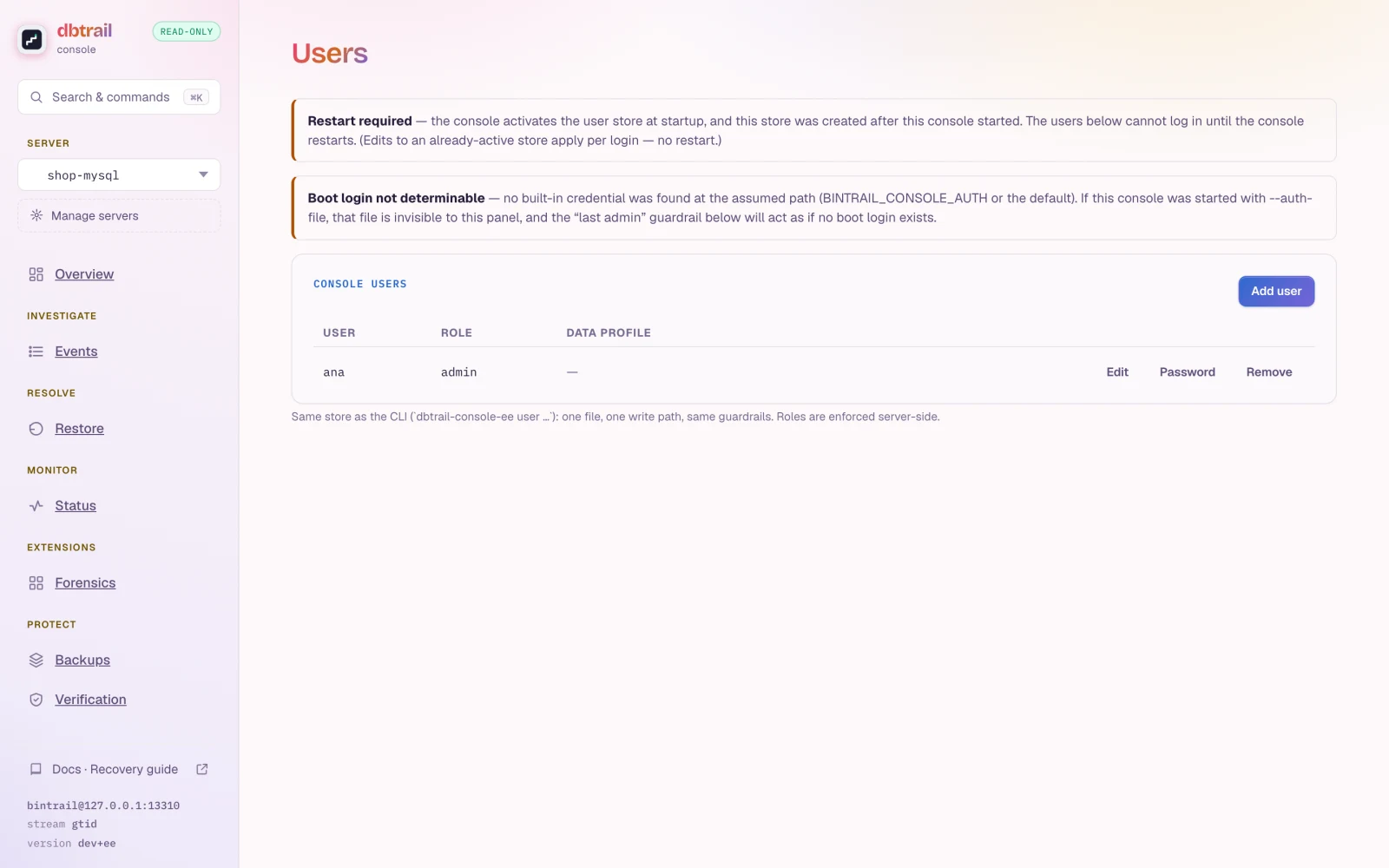
dbtrail-console-ee user add ana --role admin # also: list, set-role, set-password, remove- One store for panel and CLI:
~/.config/bintrail/console-users.yaml(0600, atomic writes). - Restart after the store's first user. Later edits apply per login.
- Zero-admin guardrail: any change that would leave no admin is refused.
- Precedence: the built-in credential logs in with full access. A store user with the same username wins, so keep them distinct.
- CLI passwords come from a prompt or
--password-stdin, never a flag. An empty store is inert.
SSO claim→role mapping
With sso and rbac both licensed:
export DBTRAIL_SSO_ROLE_CLAIM=groups                                   # string or string-array claim
export DBTRAIL_SSO_ROLE_MAP="dba=admin,ops=operator:ops_redact,support=viewer"   # claimValue=role[:profile], first match wins
export DBTRAIL_SSO_DEFAULT_ROLE=viewer # unmatched identities; default viewer- Unmapped identities are admitted read-only, never admin and never rejected. Who may log in stays with the IdP and the allowlists.
- No
ROLE_*variables: SSO sessions stay full-power. - A broken mapping warns once at startup and falls back to full-power; the daemon never refuses to boot.
- A store user and an SSO identity with the same role and profile get identical enforcement.
License lapse: what stops, what never stops
- Gate closed (expired past grace, claim removed, missing, invalid): the web interface
behaves like the OSS build. Store-only users cannot log in; SSO sessions
go back to full-power if
ssois still licensed. - Nobody is escalated by a lapse, and the built-in credentials always work.
- Store or
DBTRAIL_SSO_ROLE_*config present while the gate is closed: one startup warning naming why.
Interaction notes
- Audit (with
auditlicensed): role denials (authz.denied), profile refusals (profile.denied) and refused store logins (auth.login_denied, without the attempted username) land in the audit trail. - The Forensics view needs
analystor above.